
pass_reset
This is an old revision of the document!
Resetting Password
To Reset Your Password:
- Sign in to the system.
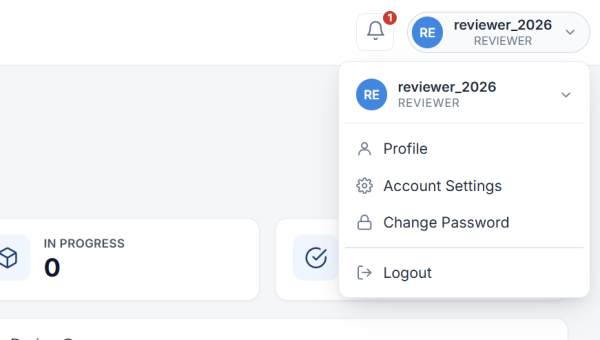
- Click on your Profile icon in the upper-right corner.
- Select Change Password.
 }}
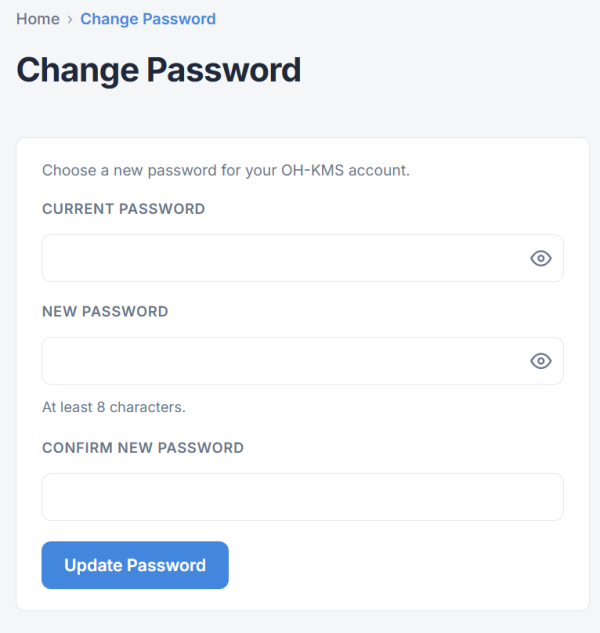
- Enter your current password twice.
- Enter your new password twice.
- Click Update Password to save the changes.
pass_reset.1794036653.txt.gz · Last modified: by wiki · Currently locked by: 216.73.217.19