
forgotpassword
This is an old revision of the document!
I forgot my password.
If you have forgotten your password, you can reset it using the Forgot Password feature available on the login page.
To reset your password
- Open the OHKMS login page.
- Click Forgot Password?
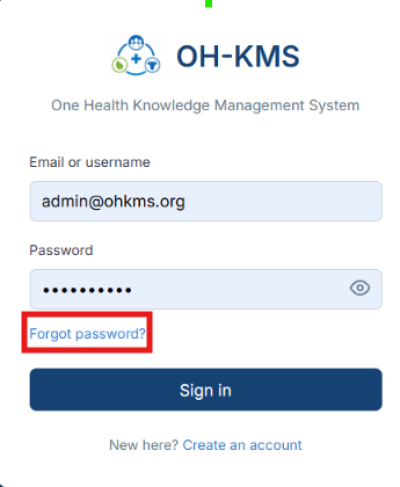
- Enter the email address associated with your OHKMS account.
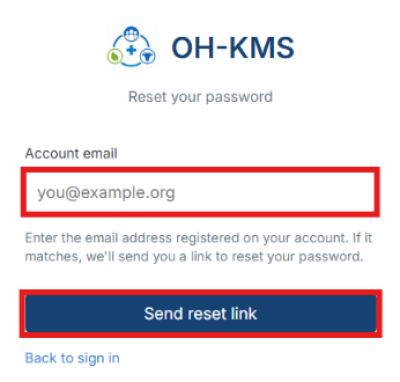
- Click Send Reset Link.
- Check your email for a password reset message.
- Open the email and click the password reset link.
- Enter and confirm your new password.
- Click Save.
- Return to the login page and sign in using your new password.


Note: If you do not receive the password reset email within a few minutes, check your Junk or Spam folder.
If the problem persists: Contact your System Administrator or Knowledge Manager to have your password reset.
forgotpassword.1792677207.txt.gz · Last modified: by wiki · Currently locked by: 216.73.217.19