
approvesubmissions
This is an old revision of the document!
Approval of Submitted kowledge Assets
A knowledge asset submitted for review will be reviewed by an assigned reviewer before approval
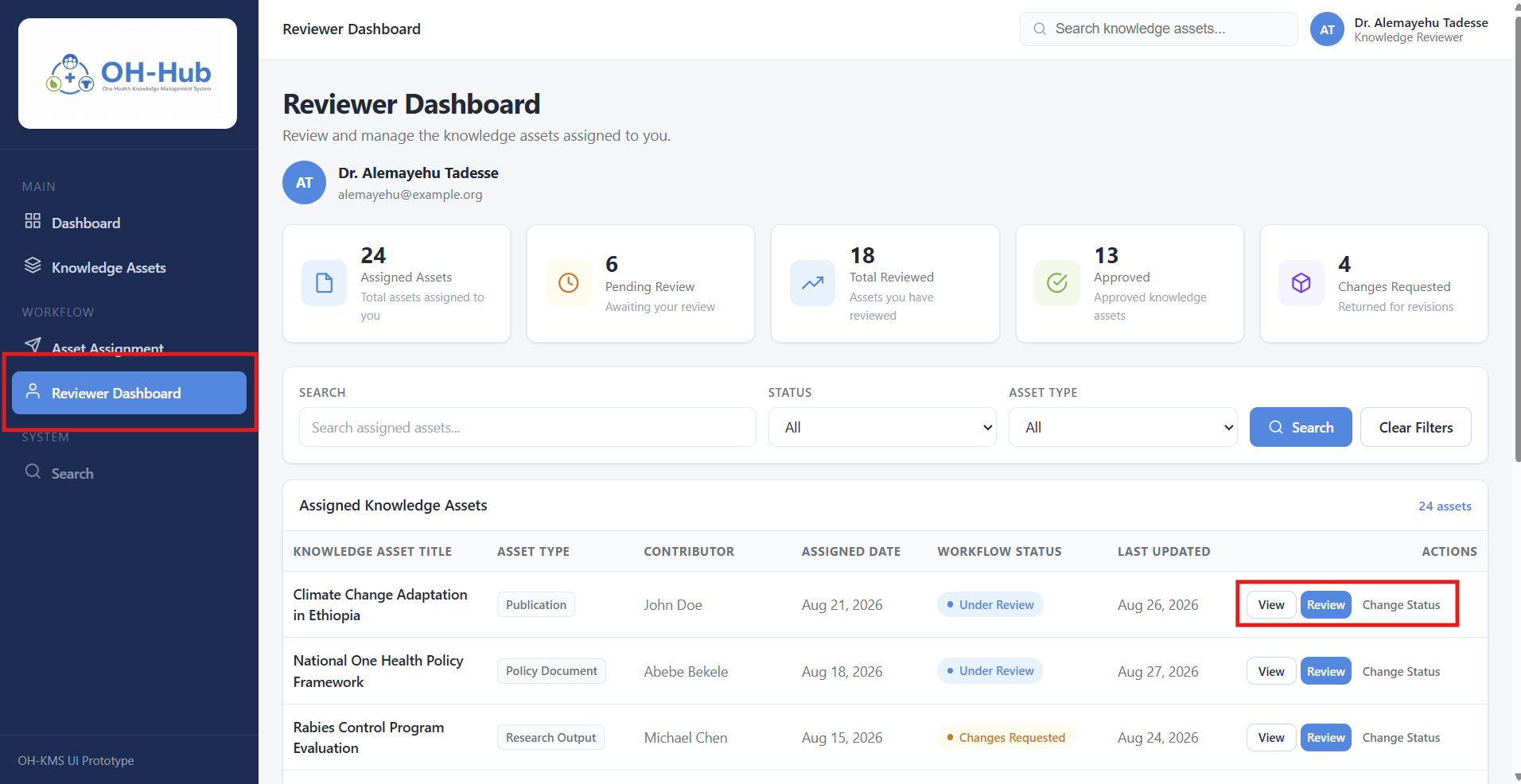
- Select Reviewer Dashboard from the left panel
- Identify the Knowledge Asset to be reviewed
- Click on View, Review, or change status button from the right side of the identified row
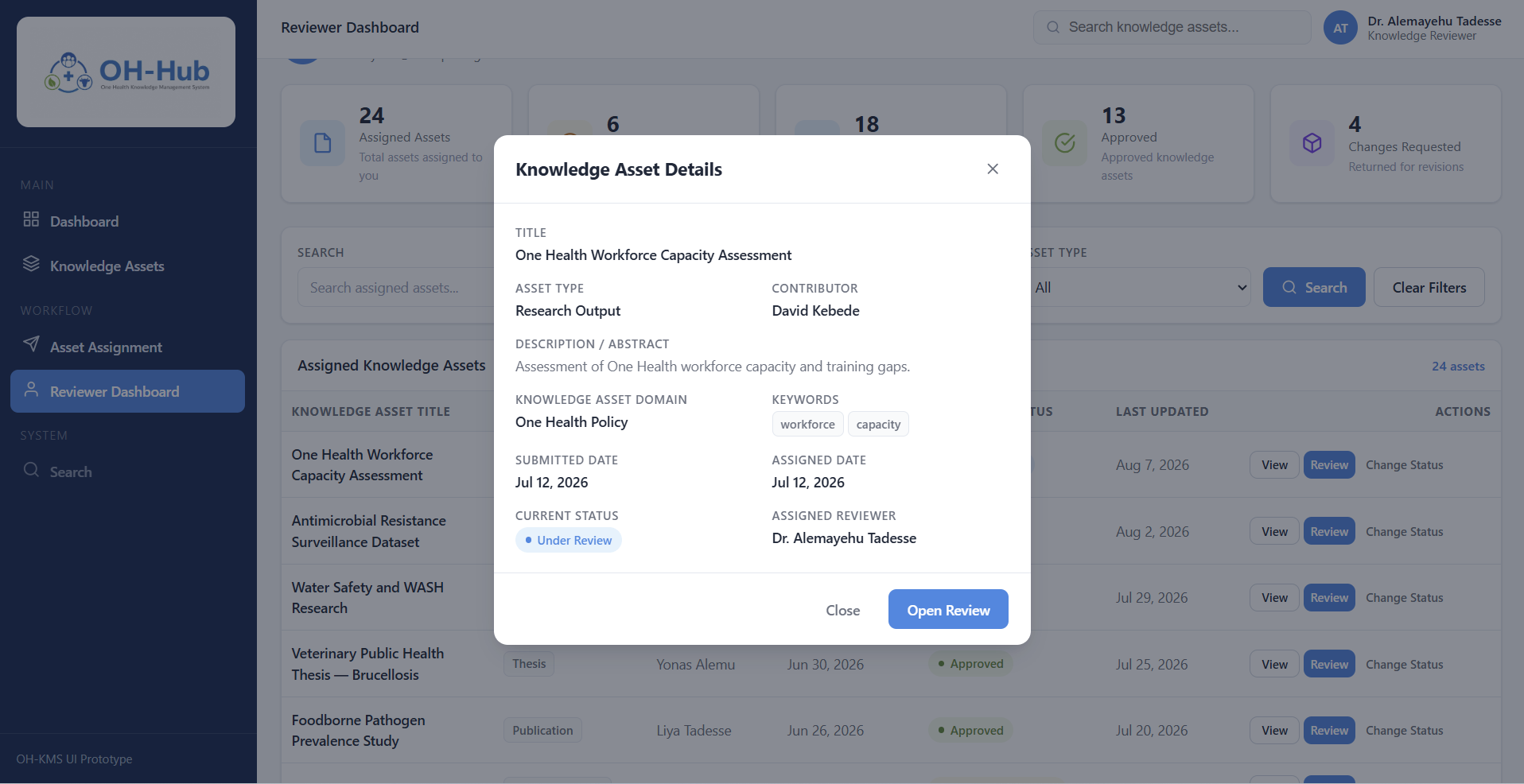
When the reviewer selects view, the following screen appears to enable the reviewer view the KA details
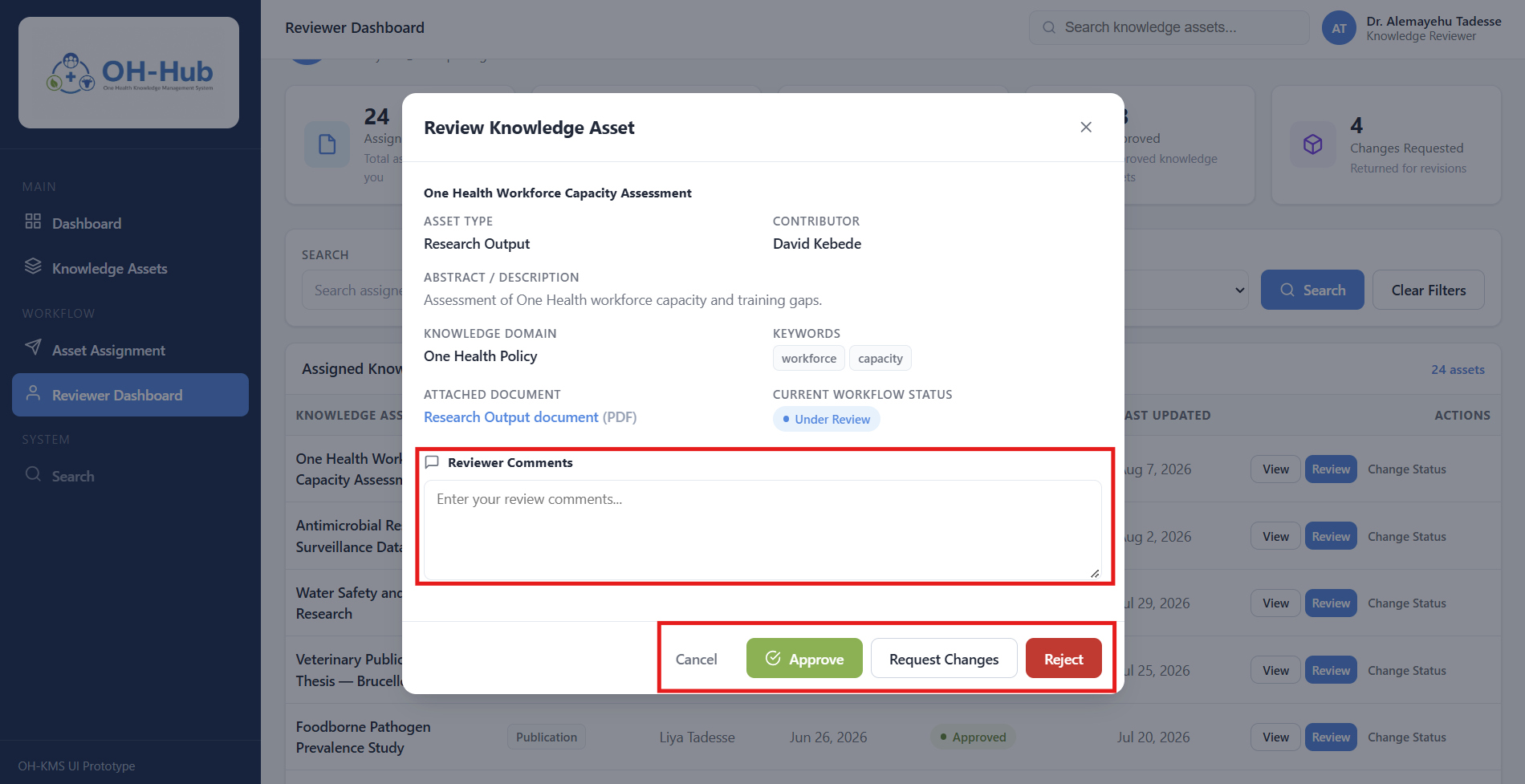
The reviewer can then write comments and decide to approve, Request Changes with comments, or Reject the submission
approvesubmissions.1793116452.txt.gz · Last modified: by wiki · Currently locked by: 216.73.217.19