Table of Contents
View Knowledge Assets
Purpose
The View Knowledge Assets function allows users to open and read the details of a selected knowledge resource before deciding whether to download or reference it.
Depending on the type of resource, users may be able to preview documents, images, videos, reports, presentations, or other digital resources directly within OHKMS.
Steps
To view a knowledge asset
- Browse or search for the desired knowledge asset.
- Select the title of the knowledge asset.
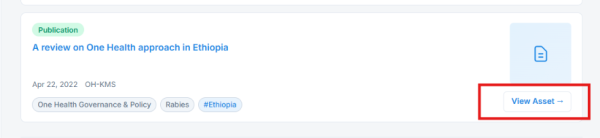
- The system opens the Knowledge Asset Details page.
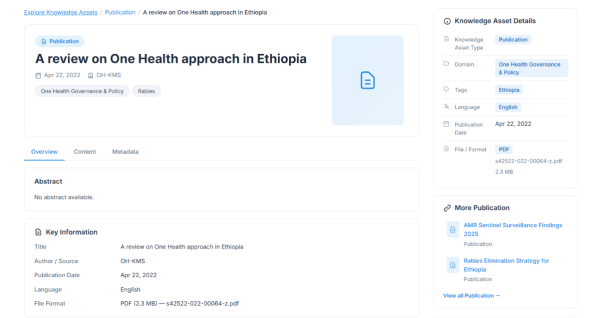
- Review the available information.
The details page may include:
- Title
- Abstract or summary
- Author or contributor
- Organization
- Publication date
- Category
- Keywords
- Resource type
- Version information
- Associated files
- Related knowledge assets
If available, a preview of the attached document or media may also be displayed.
Note: Some knowledge assets may only be available to authenticated users or users with specific access permissions.
Related Resources
Where available, OHKMS may display related knowledge assets based on category, keywords, or subject matter to assist users in discovering additional relevant information.
Best Practices
Before downloading a resource:
- Read the abstract or summary.
- Verify that the document is the latest version.
- Review the publication date.
- Check related knowledge assets for additional information.