Table of Contents
Searching the Knowledge Repository
Purpose
The Search function enables users to locate knowledge assets using keywords or metadata associated with the resource. Whether you know the exact title of a document or only its general subject, the search tools help you quickly identify relevant knowledge assets.
OHKMS supports both Basic Search and Advanced Search.
- Basic Search is intended for quick searches using one or more keywords. - Advanced Search enables users to refine searches using additional criteria to obtain more targeted results.
Performing a Basic Search
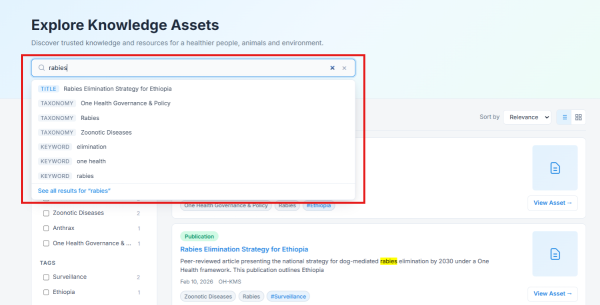
To perform a basic search
- Open the OHKMS home page.
- Locate the Search icon and click on it.
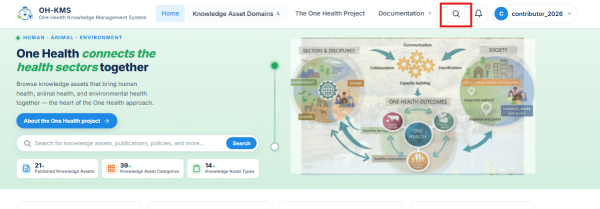
- A separate search dialog will open, where you enter one or more search terms.
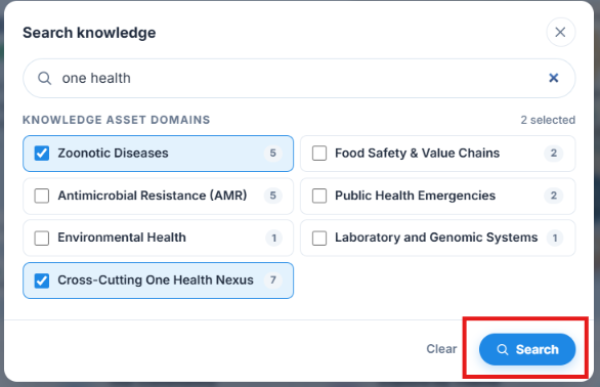
- Click Search or press Enter.
- Review the list of matching knowledge assets.
The search function may locate information contained in:
- Titles
- Abstracts or summaries
- Keywords
- Authors
- Descriptions
- Metadata
- Attached documents (where indexed)
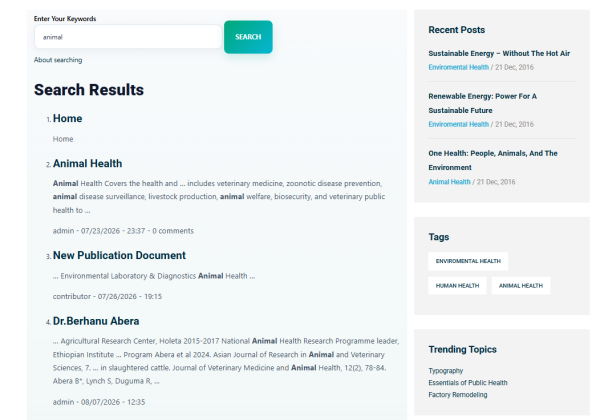
Tip: Use meaningful keywords rather than complete sentences. For example, search for avian influenza surveillance instead of information about avian influenza surveillance in Ethiopia.
Performing an Advanced Search
Purpose
Advanced Search enables users to narrow their search by specifying additional criteria, improving the relevance of the returned results.
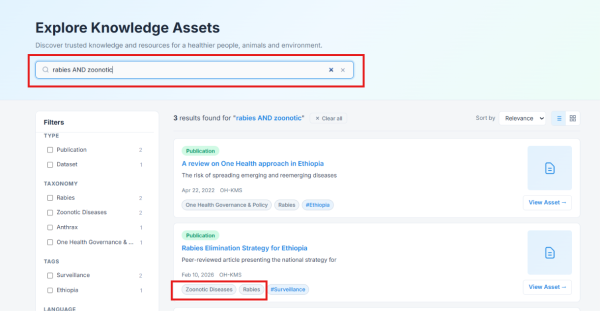
To perform an advanced search
- Open the Search page.
- Select Advanced Search.
- Enter one or more search criteria.
- Select the desired filters.
- Click Search.
OHKMS supports searching by:
Search by Keywords
Enter one or more keywords related to the knowledge asset.
Examples:
- Antimicrobial resistance
- Zoonotic diseases
- Food safety
Search by Author
Search for knowledge assets submitted by a specific individual.
Examples:
- Dr. Feleke Zewge
- Dr. Berhanu
Search by Knowledge Domain
Users may restrict searches to a particular knowledge domain.
Examples may include:
- Human Health
- Animal Health
- Environmental Health
- Food Safety
- Public Health
- One Health Research
Search by Knowledge Asset Type
Users may search for specific types of knowledge resources.
Examples include:
- Research Articles
- Reports
- Policies
- Guidelines
- Standard Operating Procedures
- Case Studies
- Presentations
- Training Materials
- Videos
- Images
- Datasets
Note: The available search options depend on your organization's OHKMS configuration.
Search Tips
For more effective searches:
- Use specific keywords whenever possible.
- Search using the author's name if known.
- Search within a particular knowledge domain to narrow results.
- Select the appropriate knowledge asset type.
- Use multiple search criteria together to improve search accuracy.